Works with MSFS 2024: No – Native version available here
Works with MSFS 2020: Yes – Native
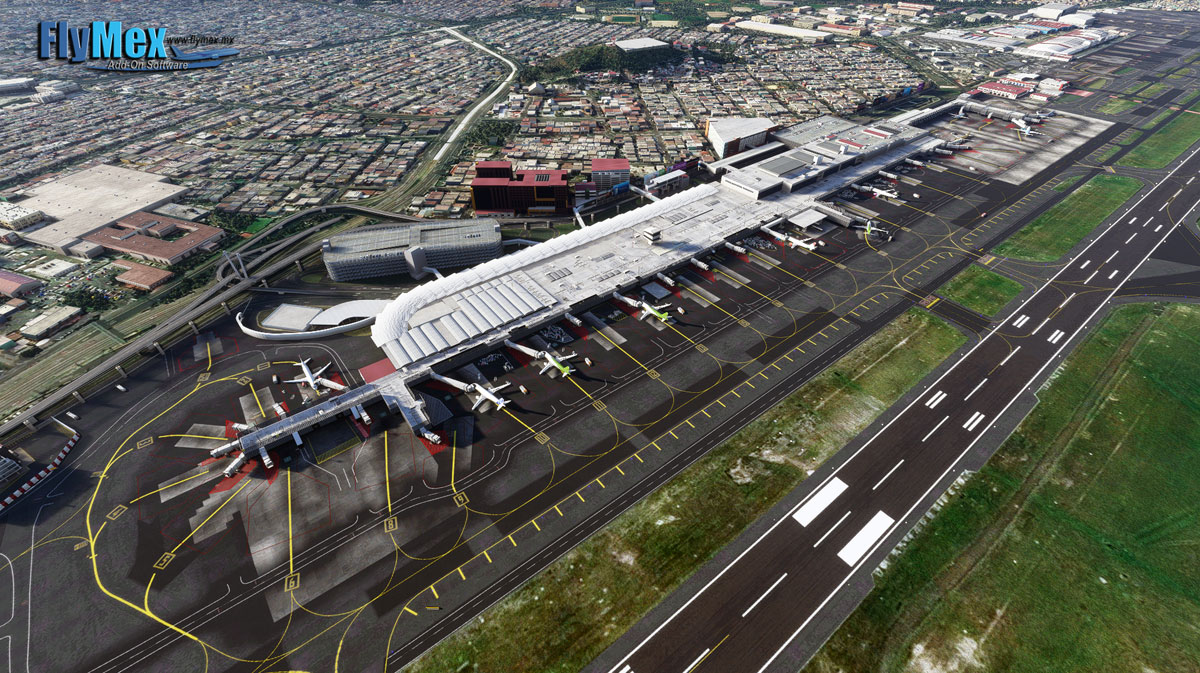
Mexico City International Airport – MMMX (Benito Juárez International Airport) is located East of the City, by passenger traffic and by number of operations is the busiest airport in Latin America’s, more than 30 domestic and international airlines, 17 cargo carriers and 4 Mexican government agencies operates in the airport, airlines and carriers operates nonstop flights to several cities in Europ … read moree, Canada, USA, Japan, China, South Korea and Central and South America, more than 100 destinations in 4 continents are served from this airport, the airport is also the main hub for the Mexican airlines; AeroMexico, Volaris, AeroMar and Vivaerobus. This detailed DLC features the new T2 extension, T1 new positions and the current airport conditions, fixing taxiways, elevation and navaids (VOR and ILS/GS position aligment) Schedule your flight to Mexico City today!
New comments disabled. Please follow our Help page on any problems or contact us for any suggestions.
Mexico
Bright purple ground markings at gate 26. Probably has something to do with empty texturing.
Jetway not working for me
Are you using GSX? If you are go into FSDT installer, config and remove BGL jetways from MMMX.
Errores esta la pista con ondas hay algunas pendientes
Hola Miguel. ¿Sabes cómo se corrigen esos errores de la pista? Saludos amigo.
Hi, 3 days ago T2 does not appear anymore, anyone having this issue?
De pronto tienes problemas con la pista capi? Me acabo de bajar esta última actualización y veo la pista com pendientes y ondas
Eso me sucedió por otro escenario que tenía cargado, lo quité y arregló el problema del terreno, pero sin previo aviso desapareció la T2 y puso edificios genéricos.
Arreglado el problema, un mod de AFCAD incluía el MMMX e interfiere con el escenario de FlyMex. El mod se llama AFCAD Update.
Problem fixed, an AFCAD mod included the MMMX and interfered with the FlyMex scenery. The mod is called AFCAD Update.
hi is this the terminal 1 and terminal 2 or only one of them?
both of them
It saddens me that with the new update (v1.0.5), there’s a logo missing on terminal 1: T1 México Benito Juárez. (unless they removed it from the airport in real life as well)
Thank you so very much, sImplaza!
You rock!
I already added it but it does not appear on the simulator map it does not work
It does work Mexico is there by default any way check you don’t have conflicting mods
ngu
muchas gracias
could you add MMZH?
The ILS 05R approach is not aligned with the runway
That’s true, it is not.
But the approach is so badly coded by asobo, that the misalignment is the least of your problems. At least for me, there is an erroneous waypoint more than 800 miles away from the airfield by the turn to PLAZA.
Use the navigraph navdata addon we posted, it will probably fix it (and countless other approaches)
@SimPlaza Thank you so much for all the work you do.
The navigraph navdata does indeed makes it much better, but doesn’t quite get it right either. It removes the erroneous point, but instead adds another that’s nearly on the right position but not exactly, and instead forces the autopilot to try to do an impossible u-turn.
The only way I’ve found other than flying the procedure by hand is by manually removing the navpoint on the FMS. Its not a big deal, especially because the procedure is getting deprecated, but it bothers my OCD.
Cheers, all!
Hello, now the problem is fixed with the new update v1.0.3 from today
where can i get it?
I already buyed this addon and it works better with version 1.0.3
Feel free to send it to us if you want 😉
fel free to share it if you want 🙂
hey Daniel do you know if they have any other later version than the 1.0.3
Thank you guys! You rock!
Great, thanks
I’ve got bumpy terrain at the airport, especially when exiting the runway and some taxiways. Anyone else?
Love you guys at SimPlaza!
Thank you so much.
despite the masobo’s SU 5 bug, do they move as well, or just static jetways ?
it doesnt show the fingers
I see the gates without using the developer mode – no problem here !
there’s a way to fix it until asobo release a patch. When you load in the game go into developer mode then in options then go and check mark “force LOD”, close the flight and reload the flight again. it will work.
not compatible with update 5. No gates.
Compatible but we need an update by asobo
turn on the developers mode.
agüevo
Thank you😃
graciasssss
Excellent, Thank you !!!!
Comments are closed.