Works with MSFS 2024: Yes – Native
Works with MSFS 2020: No
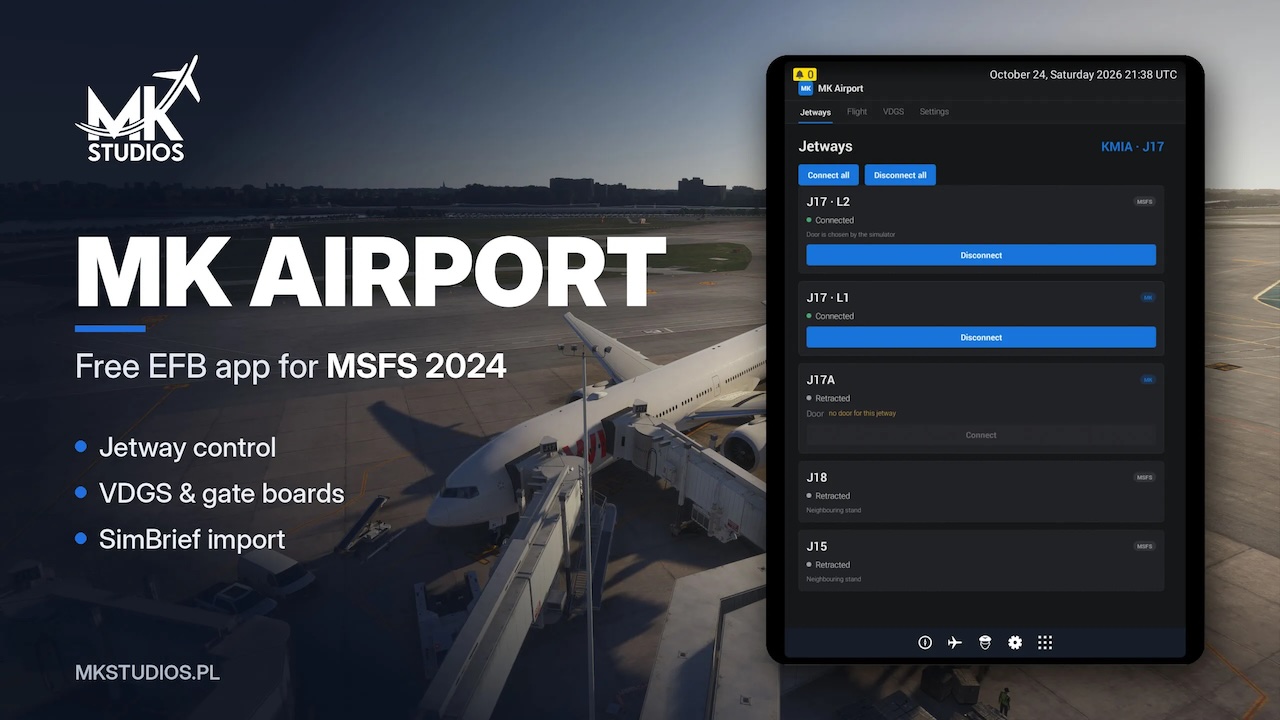
MK-STUDIOS Airport Tools brings the ground side of MK-STUDIOS airports into your EFB tablet.
Our airports run their own jetways next to the default MSFS ones: gates with two or three jetways, upper-deck bridges, real door logic. MK-STUDIOS Airport Tools puts all of them on one screen. Pick a jetway and a door, or press Connect all: the MSFS jetway goes first, then the MK-STUDIOS jetways move to t … read morehe free doors in the right order, so they never block each other. Doors behind the wing and doors already in use are skipped, and the aircraft door opens when the jetway arrives.
You don’t even need the tablet for that. MK-STUDIOS jetways follow the default MSFS jetway, whoever calls it: the sim menu, ATC, GSX Pro, or your aircraft. If your aircraft can call a jetway, it already works with ours.
Your flight comes to the airport too. Import your latest SimBrief plan with just your SimBrief username, or type it in. The Safedock-style VDGS shows your callsign and TOBT, and the gate board above the boarding door shows your flight number, airline logo, destination, and departure time, switching to DEPARTED after TOBT.
Requirements:
• Microsoft Flight Simulator 2024
• An MK-STUDIOS airport with the MK-STUDIOS Airport Tools module
• Without the app, the airport still works: the VDGS guides you in, and MK-STUDIOS jetways follow the MSFS jetway
More MK-STUDIOS integrations are coming: more gates with MK-STUDIOS jetways and more MK-STUDIOS airports will support the app over time
Features:
• Jetways: every MK-STUDIOS and MSFS jetway at your stand, with per-door control and one-tap Connect all / Disconnect all
• Follow the MSFS jetway: MK-STUDIOS jetways connect and disconnect together with the default jetway, from any source
• Automatic doors: the door opens when an MK-STUDIOS jetway attaches and closes before it leaves
• Smart door choice: one jetway per door, no doors behind the wing, upper-deck bridges only to upper-deck doors
• Flight data: callsign, flight number, destination, and TOBT (UTC), with SimBrief import (username only, no login)
• VDGS: turn the docking guidance on or off (for example, to use the GSX Pro VDGS instead) and show your own message on the screens
• Gate boards: flight number, airline logo, destination, boarding and departed status
• Settings: airport effects (steam and smoke, off by default for performance), module status, and the log file location for support
• 3rd-party API: aircraft and tool developers can connect and disconnect jetways with one L-var
New comments disabled. Please follow our Help page on any problems or contact us for any suggestions.
Global