Works with MSFS 2024: Yes – Native
Works with MSFS 2020: No
WF Scenery Studio Dual Jetway System
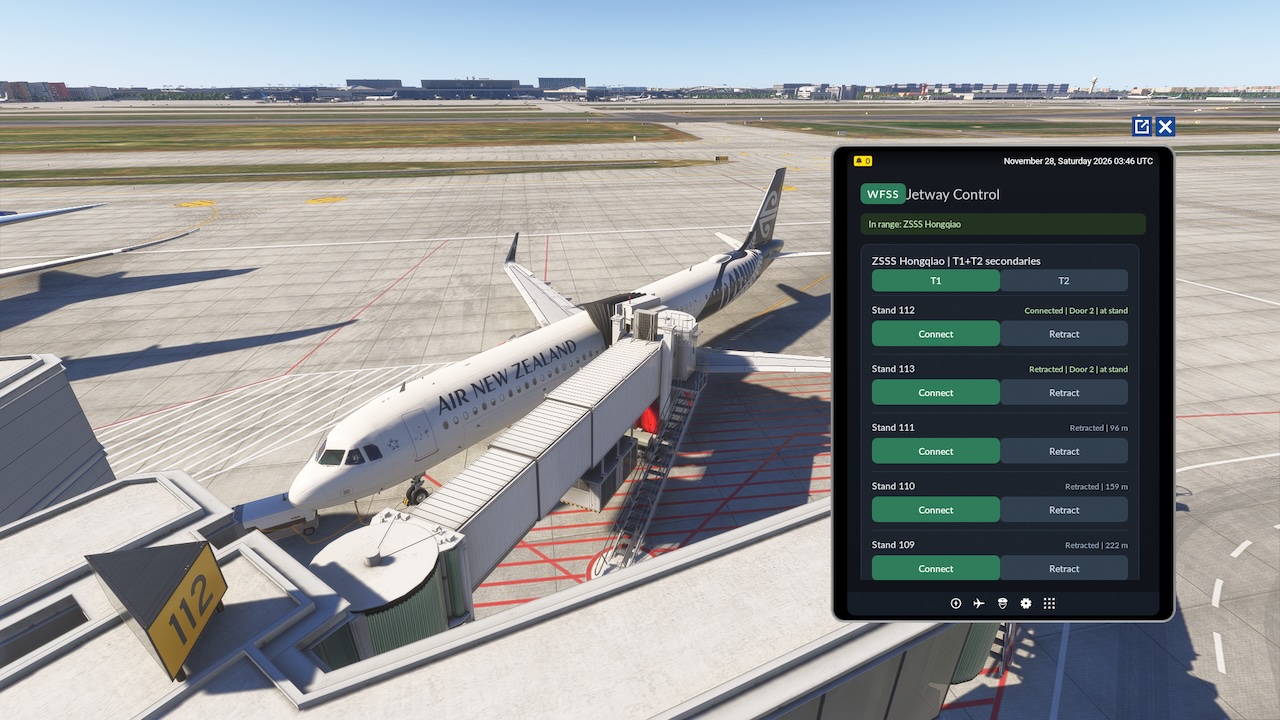
This system adds a second, fully animated jetway to supported parking stands, working alongside the simulator’s default primary jetway. Both jetways can automatically align with aircraft doors.
How do I operate the jetways?
• Park your aircraft at the assigned stand.
• Open the in-game EFB (tablet)
• Navigate to WFSS Jetway Control
• Find your parking stand … read morein the list
• Click Connect to extend and connect the jetway, or Retract to disconnect and retract it
• Once connected, the EFB will display the connected aircraft door (Door N)
Is it compatible with GSX Pro?
• The two systems operate independently:
• GSX Pro controls the simulator’s default primary jetway and cannot see or control the secondary jetway
• WFSS Jetway Tools independently controls the secondary jetway through the EFB
Which door does the secondary jetway connect to by default? What if the native jetway also connects to L1?
The secondary jetway defaults to L1. Its automatic door selection follows these rules:
• Avoids the door occupied by the native jetway
• Prefers doors on the same side of the aircraft
• Prefers doors further forward when multiple options are available
Some aircraft have their native jetway configured to connect to L1, determined by the door Type assignments in the aircraft’s flight_model.cfg. In these cases, you have two options:
• Modify the aircraft’s flight_model.cfg yourself to make the native jetway connect to 2L instead
• Contact the aircraft developer and request this configuration change
New comments disabled. Please follow our Help page on any problems or contact us for any suggestions.
Global