Works with MSFS 2024: Yes – Native
Works with MSFS 2020: No – Native version available here
Info
Note: This airport conflicts with Microsoft KATL and Orbx KATL airport, only use one of the three or you will run into problems. Follow our Help page on how to uninstall default MSFS airports.
Optional Configuration: To remove various objects on the airport, go to “imaginesim-airport-katl-jackson-atlanta\scenery\world\scenery” and rename the following files:
* Remove Edge Lights: objects-edgelights.bgl -> objects-edgelights.bgl.bak
* Remove Extra Detail: objects-detail.bgl -> objects-detail.bgl.bak
* Remove Parked Vehicles Cityside: objects-parkedcars.bgl -> objects-parkedcars.bgl.bak
* Remove SafeGateTM Docking: objects-vdgs.bgl -> objects-vdgs.bgl.bak
* Remove Airport Fences: objects-fences.bgl -> objects-fences.bgl.bak
* Remove Aircon units: objects-aircon.bgl -> objects-aircon.bgl.bak
* Remove Parked Vehicles Airside: objects-vehmax.bgl -> objects-vehmax.bgl.bak
* Remove Street Light Poles: objects-lightpoles.bgl -> objects-lightpoles.bgl.bak
Note: This airport conflicts with Microsoft KATL and Orbx KATL airport, only use one of the three or you will run into problems. Follow our Help page on how to uninstall default MSFS airports.
Optional Configuration: To remove various objects on the airport, go to “imaginesim-airport-katl-jackson-atlanta\scenery\world\scenery” and rename the following files:
* Remove Edge Lights: objects-edgelights.bgl -> objects-edgelights.bgl.bak
* Remove Extra Detail: objects-detail.bgl -> objects-detail.bgl.bak
* Remove Parked Vehicles Cityside: objects-parkedcars.bgl -> objects-parkedcars.bgl.bak
* Remove SafeGateTM Docking: objects-vdgs.bgl -> objects-vdgs.bgl.bak
* Remove Airport Fences: objects-fences.bgl -> objects-fences.bgl.bak
* Remove Aircon units: objects-aircon.bgl -> objects-aircon.bgl.bak
* Remove Parked Vehicles Airside: objects-vehmax.bgl -> objects-vehmax.bgl.bak
* Remove Street Light Poles: objects-lightpoles.bgl -> objects-lightpoles.bgl.bak
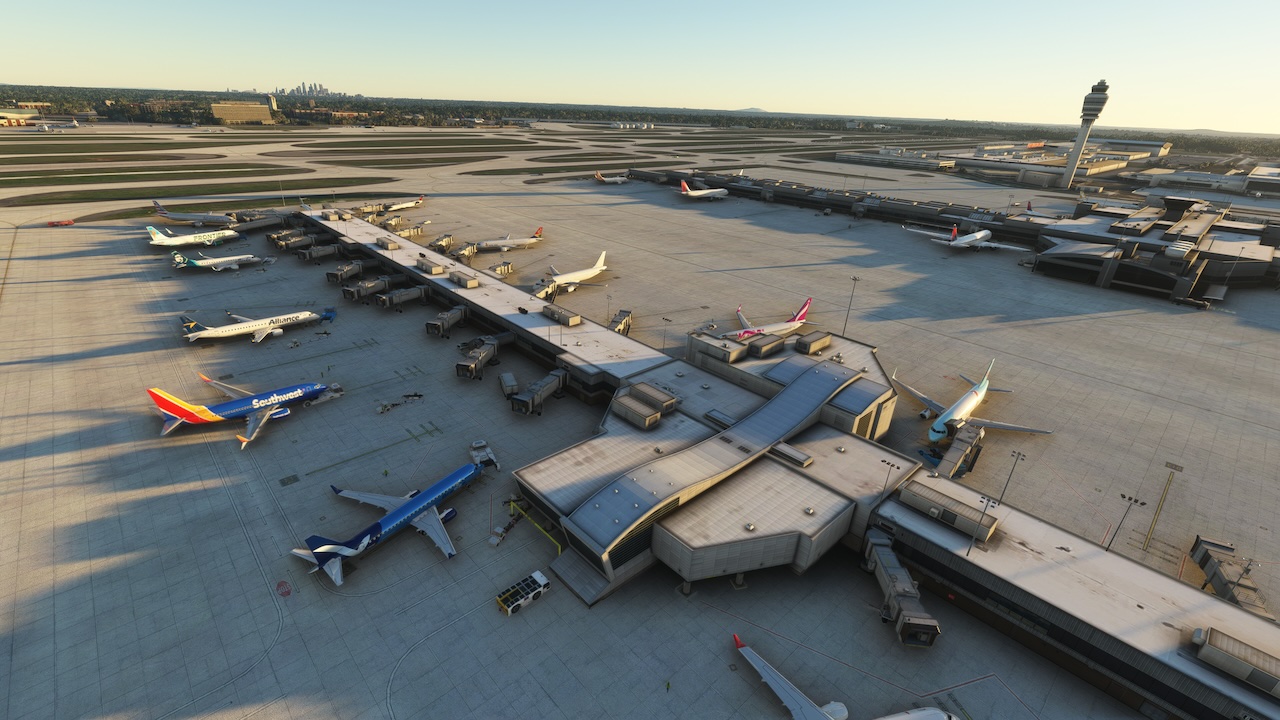
ATL by definition is a monumentally busy place. It’s the World’s Number 1 whether by passenger traffic, landings and take-offs, revenue flights, aircraft movements, daily ops, non-stop flights, the superlatives go on…. 105 million passengers board nearly 1 million flights to over 200 destinations every year. There are 7 enormous terminal concourses and almost 300 aircraft parking ramps spread acro … read moress 4,700 acres. It’s Delta’s home base – the world’s busiest airline, a primary Southwest hub, and an important centre of operations for 25 other significant US and international carriers.
New comments disabled. Please follow our Help page on any problems or contact us for any suggestions.
United States